
Part 2
Commits a72332d
Gamepad support and swappable art
The first build also had to run on an Xbox controller, and it had to leave a way in for real sprites later without code changes.
One binding table
All input goes through input.lua. Game code never asks whether Z is down. It asks whether jump is held, and the module answers from a table that lists keys and pad buttons side by side. This is the first build’s table:
local BINDINGS = {
  left = { keys = { 'left', 'a' }, buttons = { 'dpleft' } },
  right = { keys = { 'right', 'd' }, buttons = { 'dpright' } },
  jump = { keys = { 'z', 'space', 'w', 'up' }, buttons = { 'a' } },
  cast = { keys = { 'x', 'k' }, buttons = { 'x', 'b' } },
  confirm = { keys = { 'z', 'space', 'w', 'up' }, buttons = { 'a', 'start' } },
  restart = { keys = { 'r' }, buttons = { 'back' } },
}
Notice that confirm and jump share their keys, so “press jump” on the title screen works on both devices. The menus in part 4 split them into separate actions, and part 6 is partly about what a jump habit does to a menu anyway.
The analog stick has to get past a deadzone of 0.35 before it counts as left or right. A new binding is one more string in a list, and the menus, the HUD hints and the simulation all pick it up.
The pad rumbles a little when you die and when you cast. The module also remembers which device you touched last, so the on-screen text names the buttons you’re holding.
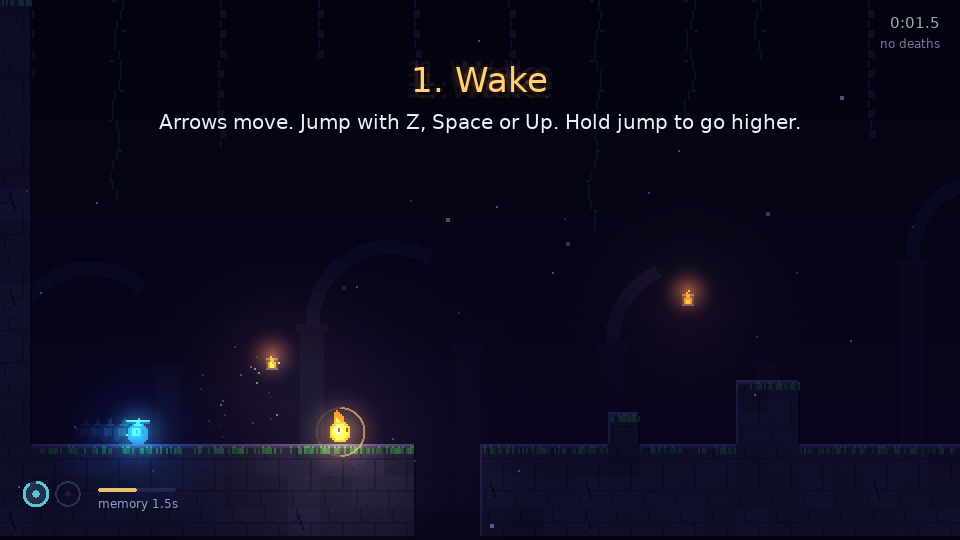
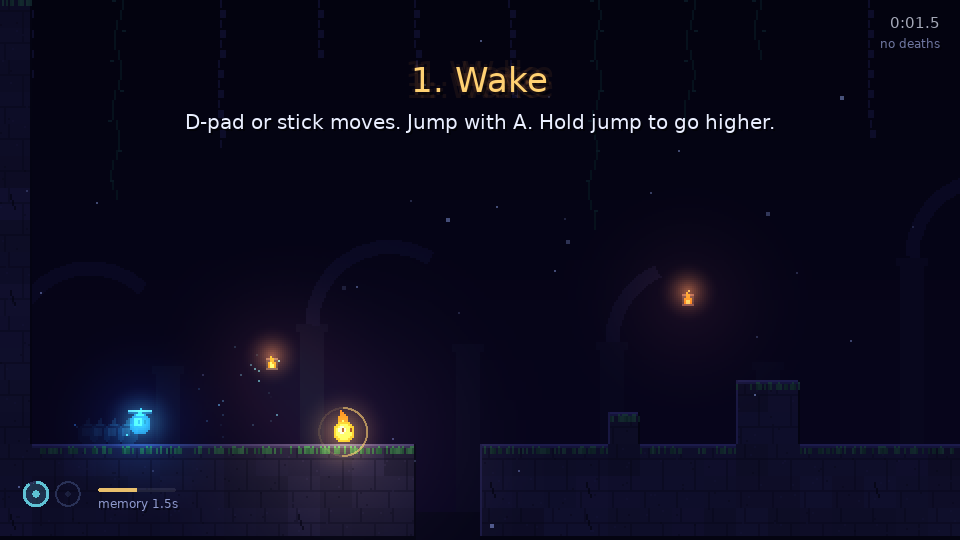
The level hints are written once, for the keyboard. When the pad was the last device used, Input.hint swaps a short list of phrases:
local PAD_WORDS = {
  { 'Arrows move', 'D-pad or stick moves' },
  { 'Z, Space or Up', 'A' },
  { 'Press R to restart', 'Press Back to restart' },
}
That keeps the hint text in the level files readable, and a new hint only needs a new pair if it names a key. These two shots also show the HUD that part 4 added.
Drop-in art
Procedural drawing is fine for a prototype and no help to someone who wants to paint sprites. So the asset system puts a folder convention on top of it and takes nothing away:
- Put
assets/sprites/<slot>.pngorassets/sfx/<slot>.oggin place, named after a slot..wavand.mp3work too. - A PNG whose width is a multiple of its height is read as a strip of animation frames.
- Any slot with no file keeps the procedural drawing or the generated sound.
- Press F5 to reload while the game runs.
The slots are another registry, in assets.lua. Each row gives the art’s size, how it animates and where it anchors:
A.SLOTS = {
  player  = { kind = 'sprite', size = { 16, 16 }, fps = 8, anchor = 'foot', note = 'faces right; flipped when facing left' },
  echo    = { kind = 'sprite', size = { 16, 16 }, fps = 8, anchor = 'foot', note = 'tinted cyan and faded by the game' },
  solid   = { kind = 'sprite', size = { 16, 16 }, mode = 'variant', anchor = 'tile', note = 'strip of variants, one picked per cell' },
  -- ...nine more rows for tiles and the three background layers
}
The fallback works slot by slot, so an artist can replace just the player and leave everything else. assets/README.md lists every slot with its pixel size and anchor point, so nobody has to read Lua to make art for the game. Lighting, glows and the HUD still draw on top, which means a dropped-in sprite gets lit the same way the procedural one does.
The game has no sprite or sound files yet. Every screenshot on this blog is the procedural fallback.